The controller stores a tree of what the user arranged. It separately projects what fits now. Keeping those two responsibilities apart is why a small window can simplify a workspace without destroying its structure.
The grammar is part of the contract
A tree has cuts and tab sets at unlimited depth. A tab entry is a view id, a cut, or another tab set. All node ids and view ids must be unique in that tree. Generated node and placeholder ids are not reused during a controller lifetime, including ids reserved from storage.
Normalization follows these rules:
- A one-tab bar is hidden by default.
SplitTabs alwaysShowopts in to displaying it; this is a presentation option, not permission to break the tree grammar. - A nested tab set left with one entry is replaced by that entry: no redundant one-tab bar inside a bar.
- A tab set whose sole entry is a layout or another tab set dissolves into that content. Closing a sibling of a layout tab exposes the layout.
- Bars with two or more tabs never merge automatically. They express distinct levels of navigation, even if their side and appearance match.
The close cascade is structural: removing the last view of a pane removes the pane; the surviving branch fills its cut. Removing the last content of a layout tab can remove that tab too. The workspace never ends empty: closing everything leaves one pane with a fresh placeholder.
Grouping keeps the picture
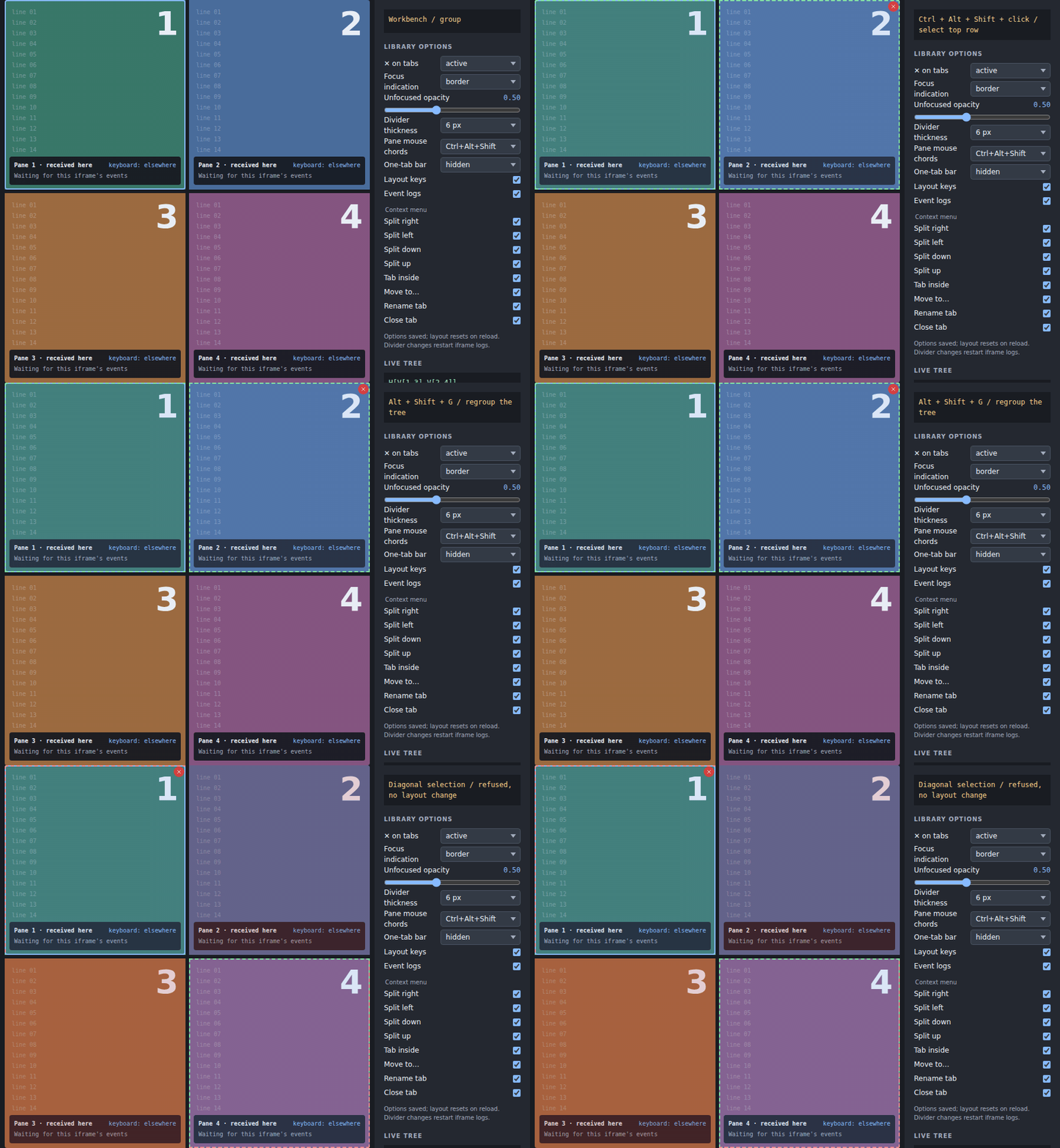
A group must occupy a rectangle without unselected panes in its way. The controller exposes plan for a preview, including kind, selected panes, intruders, and any moved panes. An exact plan can recut a columns-first tree into rows-first without moving visible tiles. A diagonal selection is not an exact rectangle and group() refuses it atomically.
Nearly aligned edges can be aligned before recutting. The snap option sets the grouping tolerance in pixels (default 40). In the algebra tests, row boundaries at ratios 0.48 and 0.515 align to their average and permit the top-row group; lowering the tolerance to 10 refuses that example. This grouping tolerance is distinct from the 12-pixel divider drag snapping distance described in Interaction.
Next to is not inside
tabNext() adds an entry to the bar holding the target. For a rectangular selection it groups first and puts the layout and a placeholder into a bar. If the whole content of a layout tab is selected, another tab goes beside that layout rather than creating an unnecessary level.
tabInside() puts a new bar in place of the target. In a two-tab outer bar holding 1 and 2, adding inside 1 gives T{*(1 *3) | 2}. Each bar can rotate independently. If there is no surrounding bar, inside and next-to can produce the same simple two-view bar. Bar focus (the last label clicked) directs tab-next and bar-side when a particular bar needs to be addressed.
A drop on a bar means next-to at the insertion marker. A middle drop means inside the shown content. Neither operation should be described merely as “make a tab”: the destination level is the important difference.
Splits and atomic moves
A pane or its shown tab's label moved onto its own edge quarter splits INSIDE the shown tab: its content stays on the dropped side and a fresh placeholder occupies the opposite half, at ratio 0.5. Focus goes to the placeholder, like split(). Other tabs, including hidden siblings, stay outside the split; (A *B) dropped right becomes T{A | *H[new:1 B]}. A one-tab set normalizes to the cut. Frames use their own edge band and keep their whole tab set. The only visible tab follows the shown-tab rule; a non-shown label still separates alone. Keyboard moves and tab-menu direction actions use the same self-split rule. A pane drag onto its own middle returns into-itself; a lone tab label on its own middle or bar returns nothing-to-move. Both leave intent and storage unchanged. Insufficient space returns no-room without a write. No grammar normalization rules change. Single-node selection plans use the same rule; larger groups cannot drop onto a member.
split(side) names the new part's location: left, right, top, or bottom. Without selection it splits the focused target; with a groupable selection it places a placeholder beside that whole group. No room means a no-room result, not a partly modified layout.
move(source, zone) carries a view, a node, or the current selection. canMove previews the same move without changing the tree. A pane-edge zone splits that pane; a frame band splits beside the framed tab set; the root band splits the whole area. Moving a pane away closes its old place up. Hosts can insert an external id with insert; see API reference.
Close and undo
Only optional host views and placeholders are closable. A close containing any visible non-closable host view is refused as a whole, with reason: "not-closable" and the affected ids. Marking a view optional both gates its visibility behind open and makes it closable; it is not just a close-button decoration.
The controller snapshots a successful close for one undo(). The root offers #undo { undo, dismiss } for undoTimeout milliseconds (default
- after each close; a later close starts the wait again. This is not an unlimited edit history. Closing and undoing are real
user actions that each write the changed intent. When a shown tab is removed, the controller prefers the most recently shown surviving tab of that set, learned in actions, then falls back to a neighbour.
Zoom is not a new layout
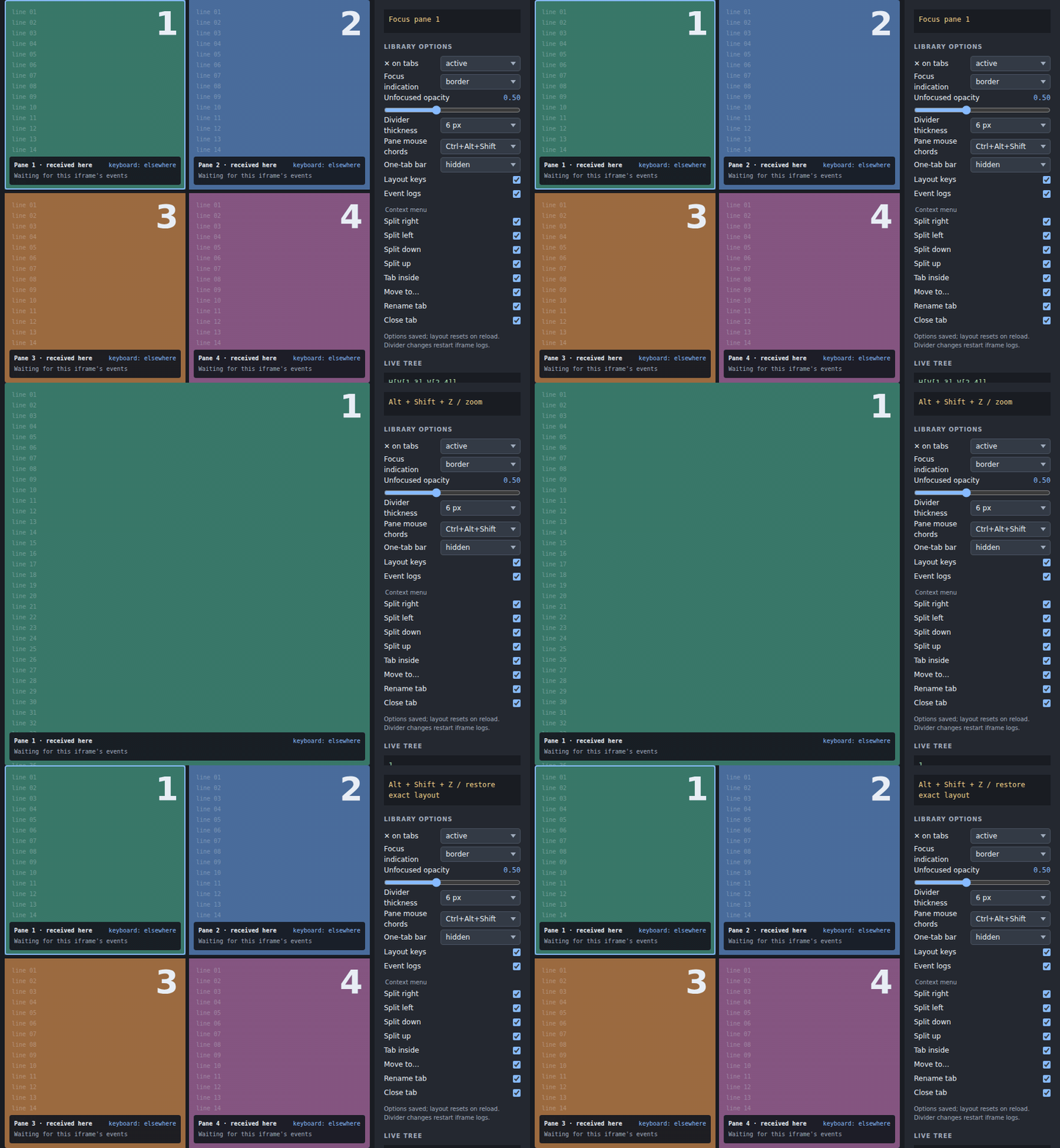
Zoom displays the focused pane or selected rectangle across the root. Restore shows the full arrangement again. Zoom and selection are memory-only; grouping needed to establish a zoom target is a real tree change and can be saved. Thus restore preserves the picture but may return a regrouped tree. Split, tab, group, and bar-side commands restore first before acting.
Size collapse is a projection
A cut renders only if its axis fits two minimum panes, their visible bars, and a divider. This includes bars beside views, not only frame bars. Otherwise that subtree becomes one collapsed pane listing all visible views, showing the focused one if it belongs there, else the first pane's view. Selecting a tab there reveals it in the real tree. Collapse is top-down: an outer cut may fit while an inner one collapses.
The controller test builds H[(*a d) V[b c]] with 100×80 pane minima. At 150×800 it becomes one collapsed pane showing c. At 1000×120 it shows the left pane and a collapsed b/c pane. At 1000×800 all three panes return. The saved intent and storage write count stay unchanged across those sizes. Persist intent, never the effective layout's geometry or collapsed panes. Keyboard nudges and divider drags share full subtree minima, counting every visible pane/frame bar and divider. A nudge that cannot move returns at-limit without writing storage.
Persistence and host navigation
Intent is { version: 3, tree, focus, opened, titles? }. Optional titles: Record<string, string> maps tab keys (view ids or layout/inner-bar node ids) to custom titles. Existing version-3 intents without it remain valid; malformed title maps reject the stored intent. The next write removes keys no longer in the tree. Moves preserve titles by key; a newly grouped node inherits none, dissolve drops the removed node's title, and replacing a placeholder drops its title instead of transferring it. Close drops titles; undo restores them with the tree. The storage adapter uses one table under storageKey, containing { key, stamp, intent } entries. entryKey selects the workspace identity; maxEntries bounds its LRU capacity (default 50). Before a write, the controller refreshes and validates the table, preserves other entries, and stamps above the stored stamps. Invalid entries are dropped individually; duplicate keys keep the highest stamp. Storage failures do not prevent in-memory layout use.
Present, non-optional views are visible; optional views need to be opened; placeholders are visible directly. Unplaced visible host ids enter the first pane after their nearest natural predecessor there. Absent ids retain their place. An explicit action folds invisible branches, moving hidden views into a surviving tab set so they can return there.
Derived size, host tab-list changes, and host active navigation do not write. A host request for a visible view reveals all bars on its path and focuses its pane. Hidden or unknown requests change nothing. A getter that catches up with set later (an asynchronous router) is not a request while it passes through the values it showed before. If an action requests the value the getter already shows, pending values remain protected across Vue ticks for up to 250 ms, or until the getter acknowledges the latest request or supplies a new value. Routers may cancel an older request and drop the duplicate without changing their getter; later host navigation is honoured after that bounded delay. dispose() clears the fallback timer. A normal focusPane action can save a changed focused view; selection, bar focus, and zoom themselves remain memory-only. Changing entryKey resets those transient states and undo.
Stored 0.2 trees and 0.1 two-pane entries migrate on read. The first leaf receives its tabs plus unassigned ids in saved order; other leaves follow saved order, with firstActive selecting the initial shown view. API source compatibility is separate: follow the 0.3 migration table.